Main window
Once a repository is open, GIT DELTA uses a single main window.
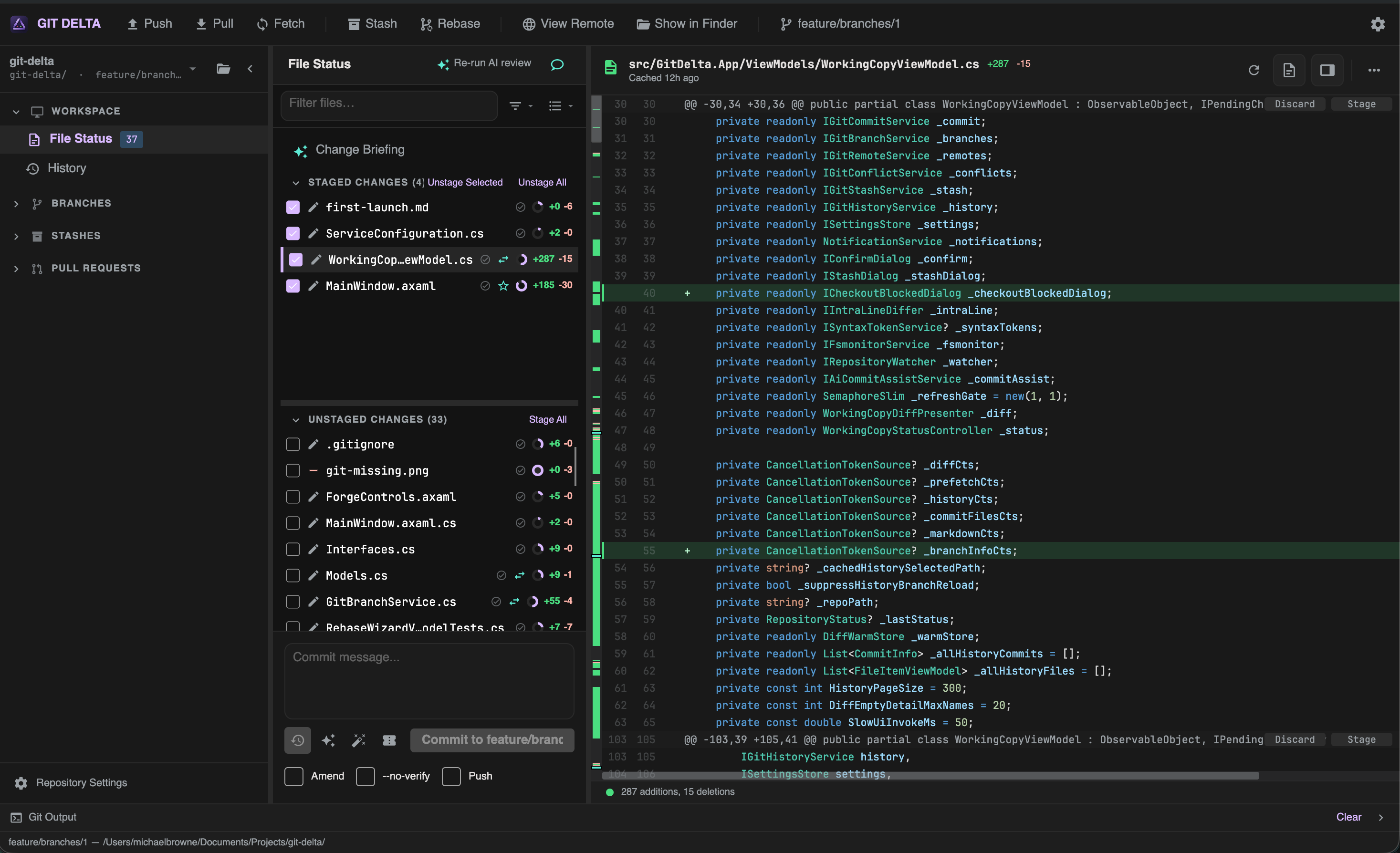
Layout at a glance
| Region | What it is for |
|---|---|
| Toolbar | Push, Pull, Fetch, Stash, Rebase, View Remote, Show in Finder/Explorer, Settings |
| Sidebar | Repo switcher, File Status, History, Branches, Stashes, Pull Requests |
| Center | File lists and commit/history details for the current mode |
| Diff viewer | Side-by-side or unified diff for the selected file |
| Status bar | Short status text |
| Git Output | Expandable console for streamed git stdout/stderr |
Toolbar
| Control | Action |
|---|---|
| Push / Pull / Fetch | Remote operations (busy state while running) |
| Stash | Open the stash dialog |
| Rebase | Open the interactive rebase wizard (disabled when not allowed) |
| View Remote | Open the remote URL in your browser |
| Show in Finder / Explorer | Reveal the repo folder in the OS file manager |
| Branch name | Displays the current branch (checkout from Branches in the sidebar) |
| Settings | Open settings |
Status and feedback
- Toasts — info and errors, sometimes with Undo or Retry
- In-progress banner — merge/rebase (and similar) with Abort / Continue
- Git Output — expand when you need the raw command stream; use Clear to reset
Workspace modes
The center of the window changes with the sidebar:
- File Status — working copy (stage, commit, local review)
- History — commit browser
- Pull request — GitHub review workspace (when you open a PR)