Pull request review
The PR workspace is built for reading diffs and leaving high-quality review comments.
Header actions
| Action | Purpose |
|---|---|
| Open on GitHub | View the PR in the browser |
| Checkout branch | Fetch and check out the PR head branch in a local clone (see below) |
| Reviewer badges | Who is assigned / reviewing |
| Submit | Upload pending comments / submit a review (badge shows pending count) |
| Request changes / Approve | Submit with that decision (via the submit flow) |
| Mark as not viewed | Clear viewed state for navigation |
| Begin file comment | Start a file-level comment |
| AI review | Optional assist — see AI assist |
Checkout branch
Use Checkout branch (next to Open on GitHub) when you want to work on the PR head branch in your working copy:
- Git Delta locates local clones under your development folder that match the PR repository.
- A confirmation dialog shows the branch name and each candidate clone’s pending-change status (clean / staged+unstaged / conflicted).
- If several clones match, pick which one to use (the choice is remembered as a repository binding).
- If no clone exists, you are prompted to clone into the development folder first.
- After confirm: the selected repository becomes active, Git Delta fetches, checks out the head branch (creating a local tracking branch from
origin/…when needed), and leaves pull request mode so you land on File Status.
If checkout is blocked by local changes, the usual stash / stash-and-restore prompt appears. This does not use the internal refs/gitdelta/pr/… review ref — that remains for PR review materialisation only.
If locate/clone fails, see Troubleshooting.
File list
| Capability | Notes |
|---|---|
| Flat / tree | Same idea as the working copy |
| Filter / search | Focus the list; shortcuts can focus the filter |
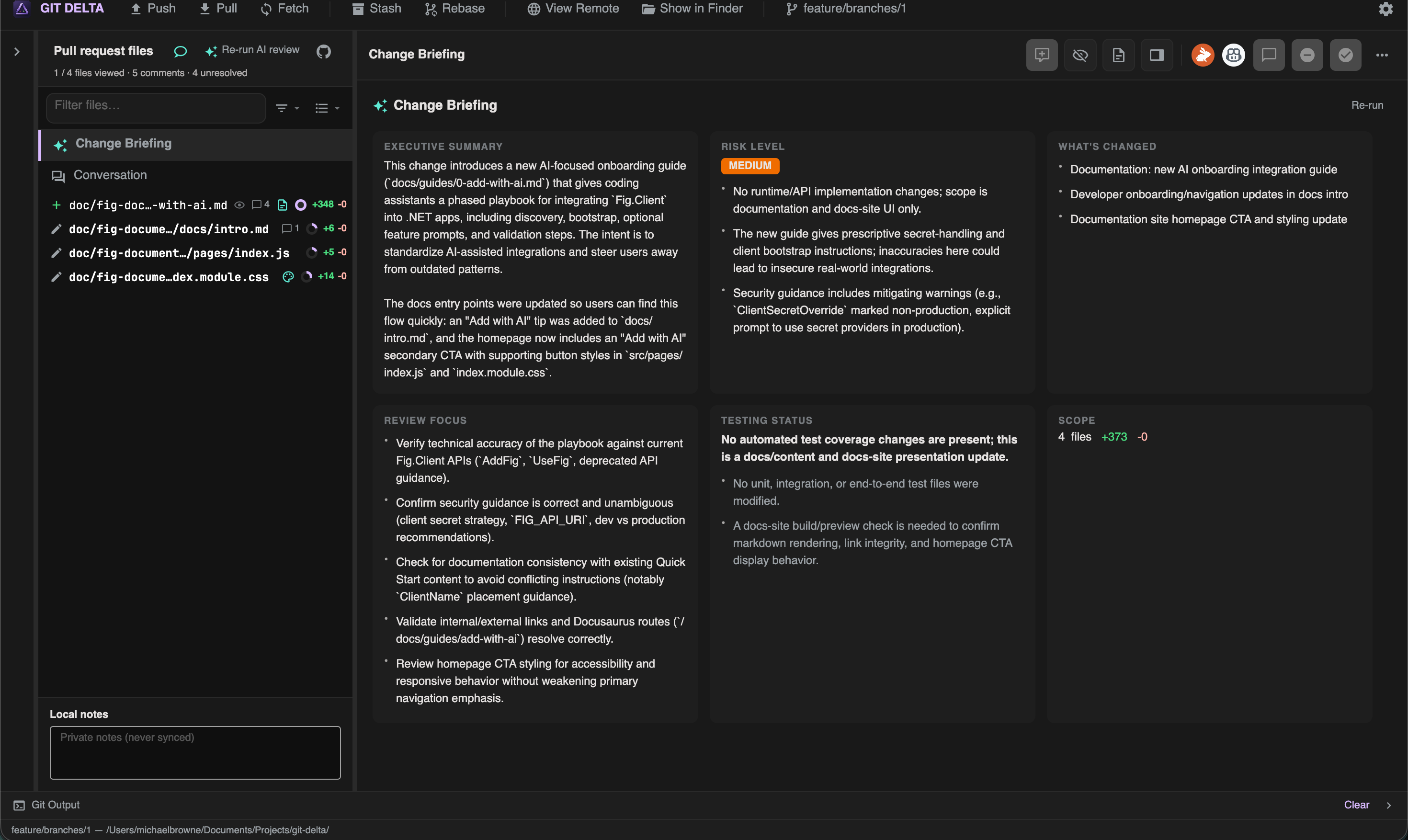
| Filters | All, Viewed, Not viewed, Stale, Commented, Unresolved |
| Viewed indicator | Track what you have already read |
| Private notes | Local-only notes that are never synced to GitHub |
| Conversation / Change Briefing rows | Jump into discussion or AI briefing |
Keyboard (PR mode)
See the full list in Keyboard shortcuts. Highlights:
| Shortcut | Action |
|---|---|
| J / K or arrows | Next / previous file |
| V | Toggle viewed |
| N / P | Next / previous thread |
| C | Focus comment draft |
| Ctrl+Enter | Submit pending review |
These shortcuts use Control even on macOS (except where noted elsewhere for copy).
Conversation
The conversation view can include:
- PR description / summary
- Checks
- Timeline
- Reviewers and status
Comments on the diff
| Feature | Description |
|---|---|
| Line comments | Comment on a line or range |
| Threads | Reply, resolve / unresolve |
| Suggestions | Add a suggestion block where supported |
| Mentions | @ completion with keyboard navigation |
| Pending | Not yet synced to GitHub until you submit |
Submit vs draft
- Draft comments stay local until you Submit
- Submit can include a summary and a decision (comment / approve / request changes)
Offline drafts
Previously opened PRs and pending outbox items are designed so you can keep reviewing when the network blips — submit when you are back online.
Local notes
Use the local notes scratchpad for personal markdown that stays on your machine (never synced as a GitHub review comment).