Pull request inbox
The sidebar PULL REQUESTS section is your review inbox.
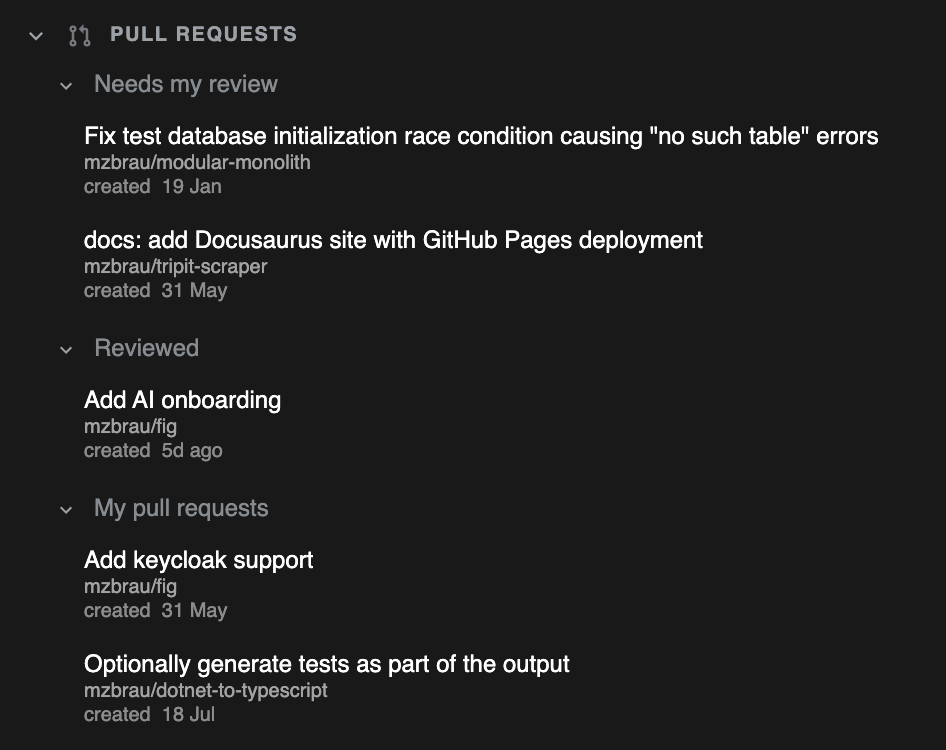
Sections
| Section | Meaning |
|---|---|
| Needs my review | PRs waiting on you |
| Reviewed | Items you have already reviewed |
| My pull requests | PRs you authored |
Each row typically shows title, repository, and relative created time.
Open a pull request
- Ensure a GitHub account is connected
- Click a PR in the inbox
- GIT DELTA opens the pull request review workspace
If you were in History, the app leaves that mode as needed for the review UI.
Account issues
If an account needs re-authentication, a banner appears with a link to Settings → Accounts.
Refresh
Inbox and PR data refresh when you ask for it and when the window becomes active again. There is no continuous live polling — treat refresh as intentional.