AI assist
GIT DELTA’s AI features are an assistant for human reviewers — not a replacement for them.
In the age of AI-authored code, seniors often review unfamiliar changes under time pressure. AI here is meant to:
- Help you get an overview faster
- Point at areas worth attention
- Answer questions while you stay accountable for the outcome
It is not meant to rubber-stamp enterprise or mission-critical software.
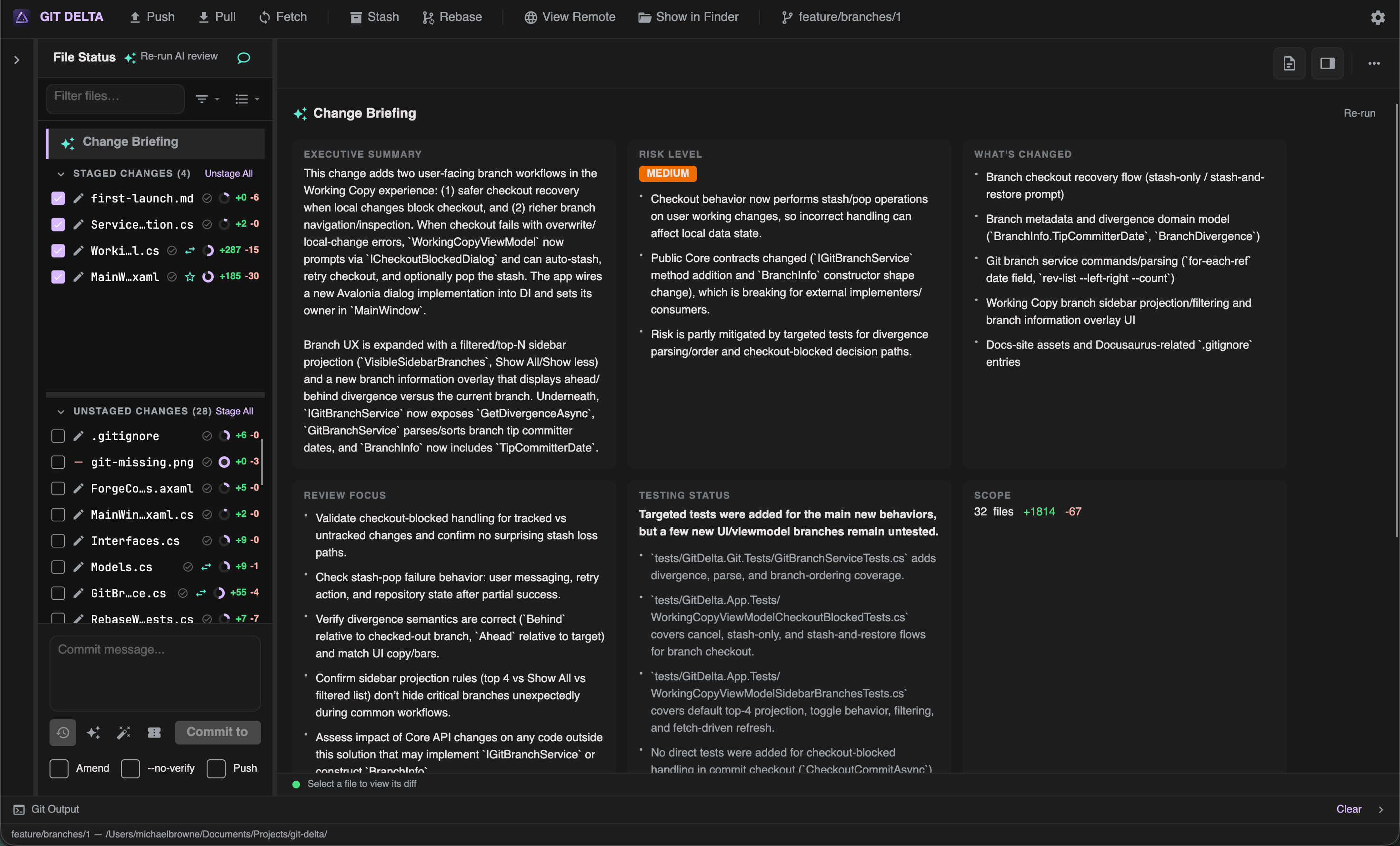
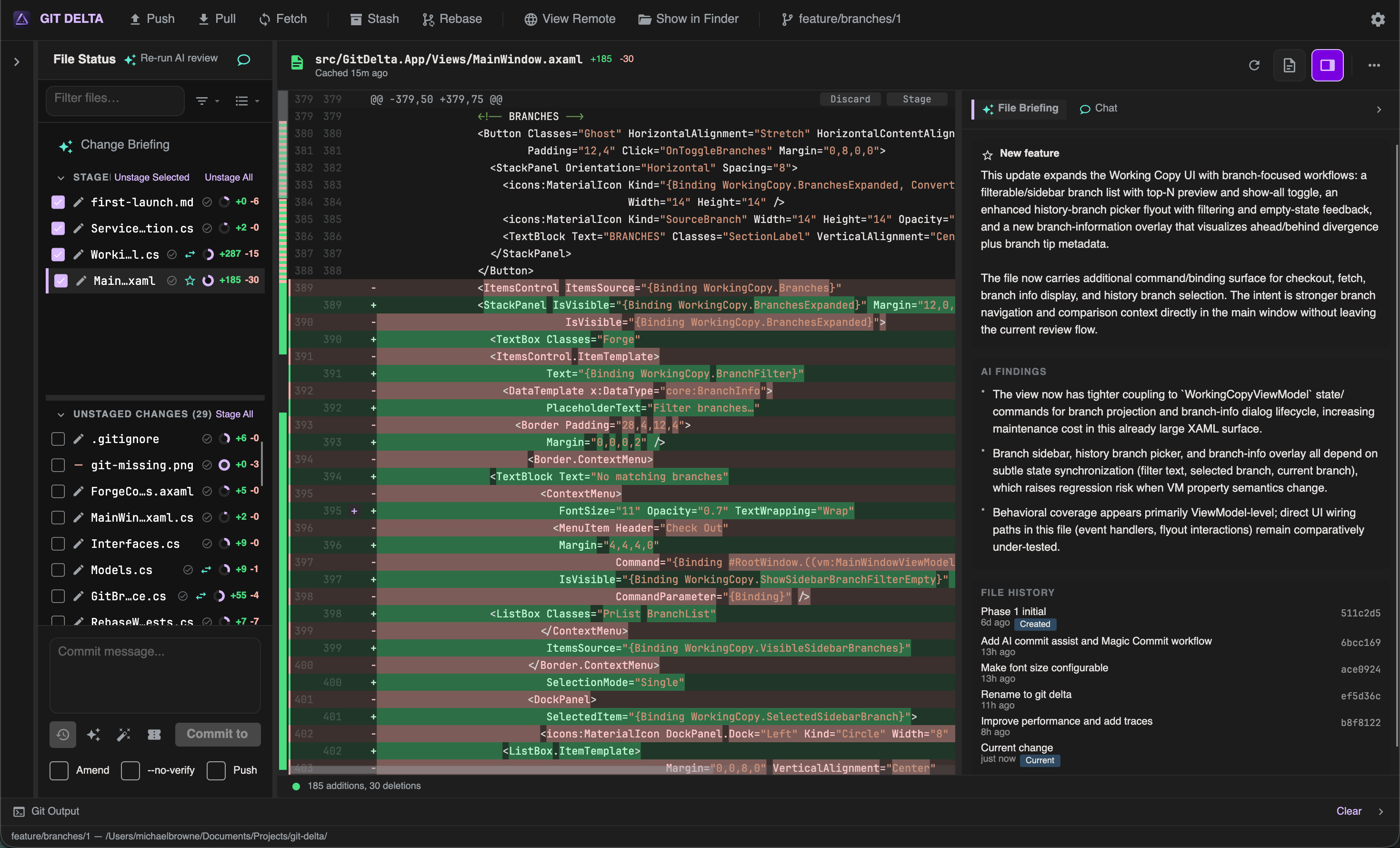
Enable AI
- Open Settings → AI
- Read the disclosure (repository content is sent to GitHub’s Copilot services)
- Enable AI assist and configure a Copilot token / model as required
- Optionally set path denylists, excluded repos, budgets, and thresholds
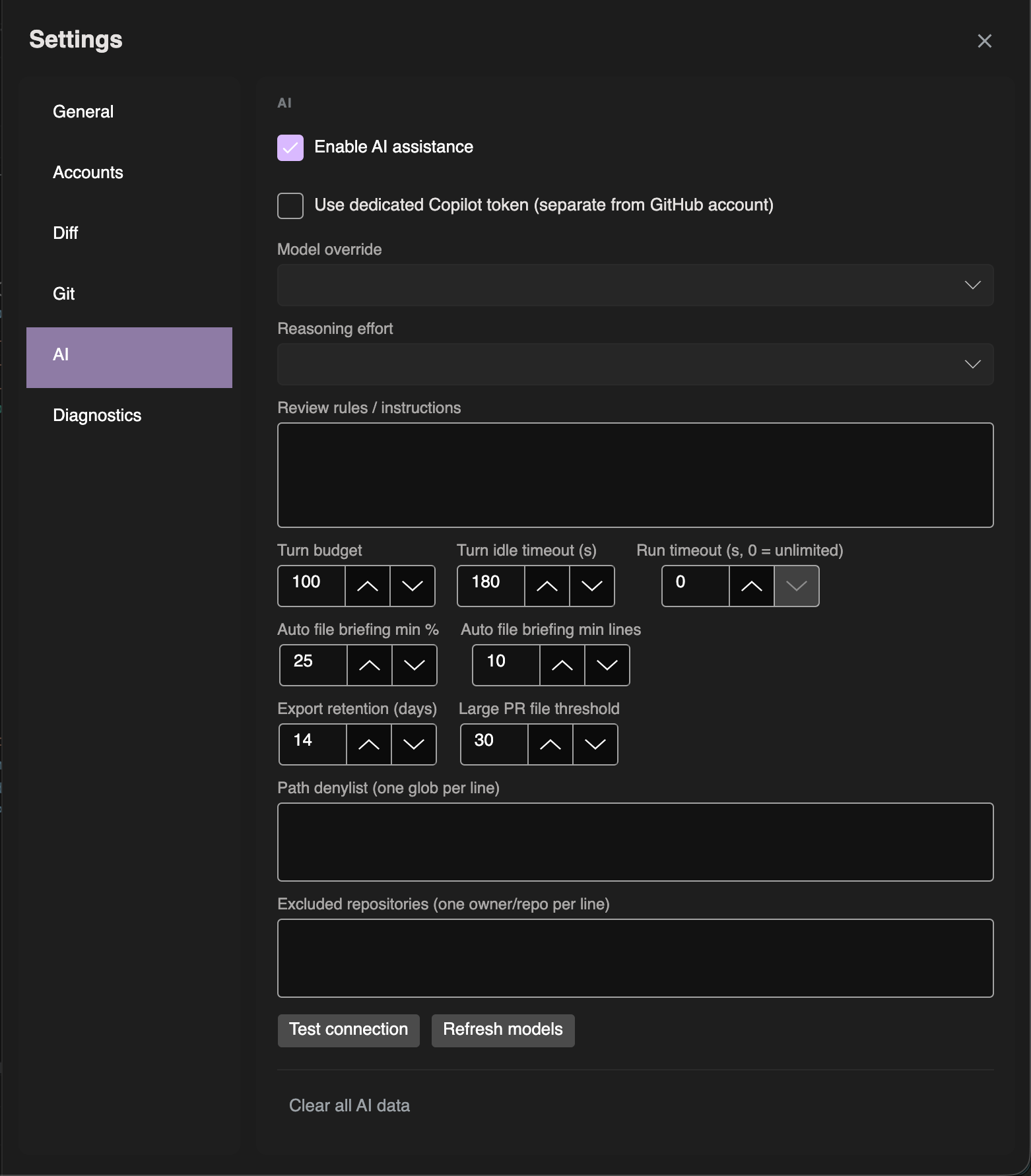
Use Test connection and Refresh models when setting up.
What AI can do
| Capability | Description |
|---|---|
| Request AI review | Start a structured pass over a PR or local pending changes |
| Change Briefing | Summary and orientation for the change set |
| Risk / ordering cues | Help prioritize what to read first |
| Per-file briefing | Lazy summaries as you focus files |
| Annotations | Inline notes you can insert as draft comments, dismiss, or open in the sidebar |
| Chat | Ask questions about the review (Enter to send; Shift+Enter for newline) |
| Selection actions | Explain, review, find bugs, suggest tests on a selection |
You choose scope (for example staged-only vs all pending) when starting a local AI review.
What AI never does
AI in GIT DELTA does not:
- Automatically approve or reject a pull request
- Submit review comments or complete a GitHub review for you
- Modify repository files
Insert Comment only prefills a draft for you to edit and submit through the normal outbox.
Explicit start
Opening a pull request does not automatically spend AI budget. You start a review when you want one (Idle → Running → Complete, with resume when incomplete).
Privacy and control
| Control | Purpose |
|---|---|
| Disclosure | Clear that content goes to GitHub’s servers |
| Path denylist | Skip sensitive paths |
| Excluded repos | Opt out per repository |
| Clear AI data | Remove stored AI artifacts from Settings |
| Budgets / timeouts | Bound cost and runtime |