Working copy (File Status)
File Status is where you review and prepare local changes.
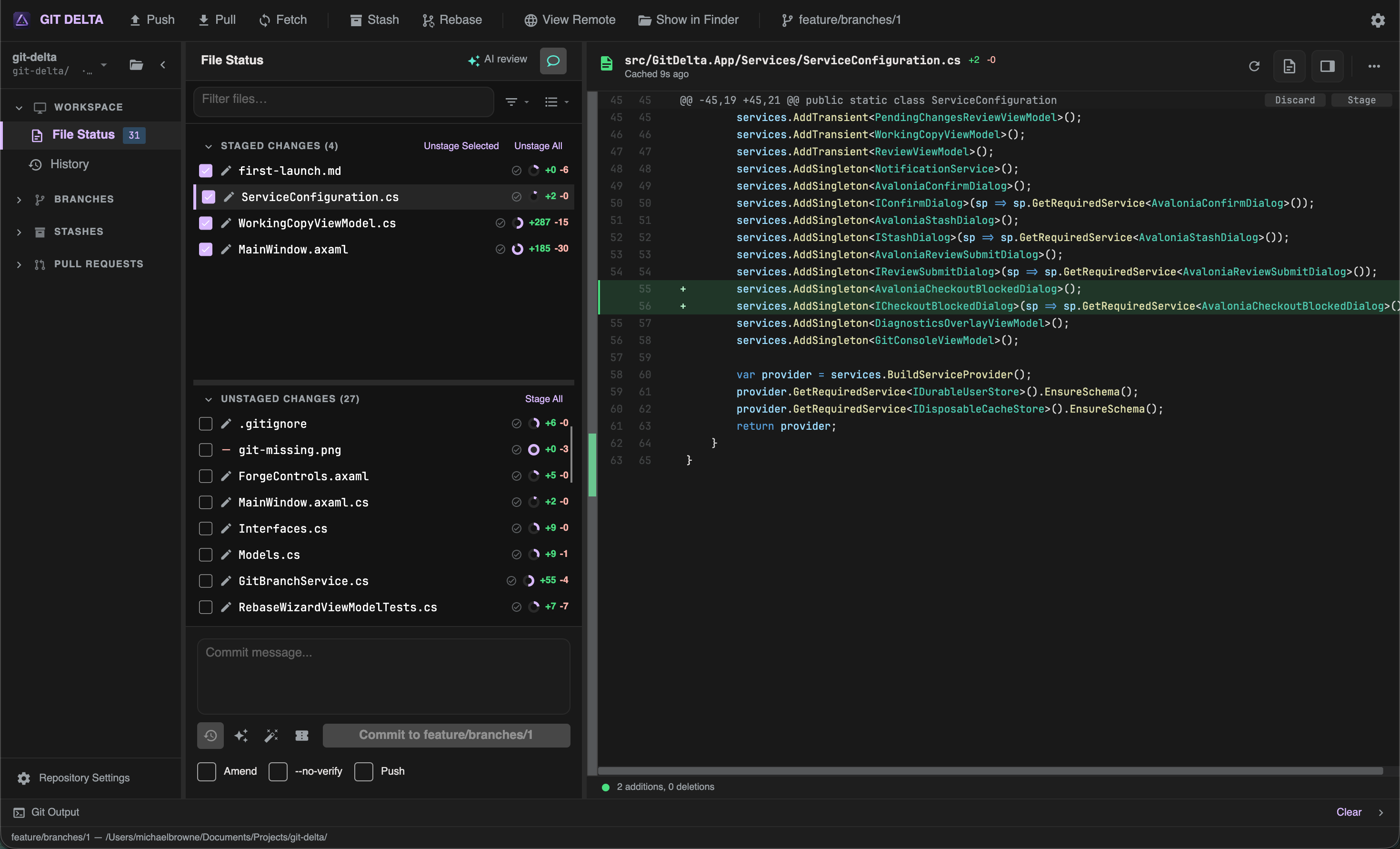
Change lists
| List | Meaning | Typical actions |
|---|---|---|
| STAGED CHANGES | Ready for the next commit | Unstage selected / all; discard |
| UNSTAGED CHANGES | In the working tree but not staged | Stage selected / all; discard |
| CONFLICTED | Unmerged paths during merge/rebase | Shown for awareness; resolve outside GIT DELTA today |
Stage and unstage
- Use the checkbox on a row, or toolbar actions for selected files / all files
- Multi-select with Ctrl (Windows) or Cmd (macOS), and Shift for ranges
Discard
- Discard from the list context menu or from the diff
- Changes are discarded immediately; use the Undo toast when offered to restore via GIT DELTA’s recovery path
File list chrome
| Control | Purpose |
|---|---|
| Flat / Tree | Flat list vs folder grouping |
| Filter / Search | Switch mode; placeholders update with the mode |
| Change stats | Pie / +/- line counts and status icons |
| Diff-cached tick | Prefetch indicator — the diff was prepared in the background |
Selecting a file
Selecting a file loads its diff in the viewer.
- Staged selection → typically index (HEAD→index) style review with unstage actions
- Unstaged selection → worktree diff with stage actions
- Combined review (when enabled) shows staged + unstaged together in a read-oriented mode
Details: Diff viewer.
Local review extras
On File Status you can also use:
- Local pending review — comments and Change Briefing on uncommitted work
- AI assist — optional review of pending changes
Example workflow
- Open File Status
- Stage the files (or hunks/lines) you want in the next commit
- Write a message in the commit dock — Committing
- Commit (optionally amend or push afterward)