History
History browses commits in the current repository.
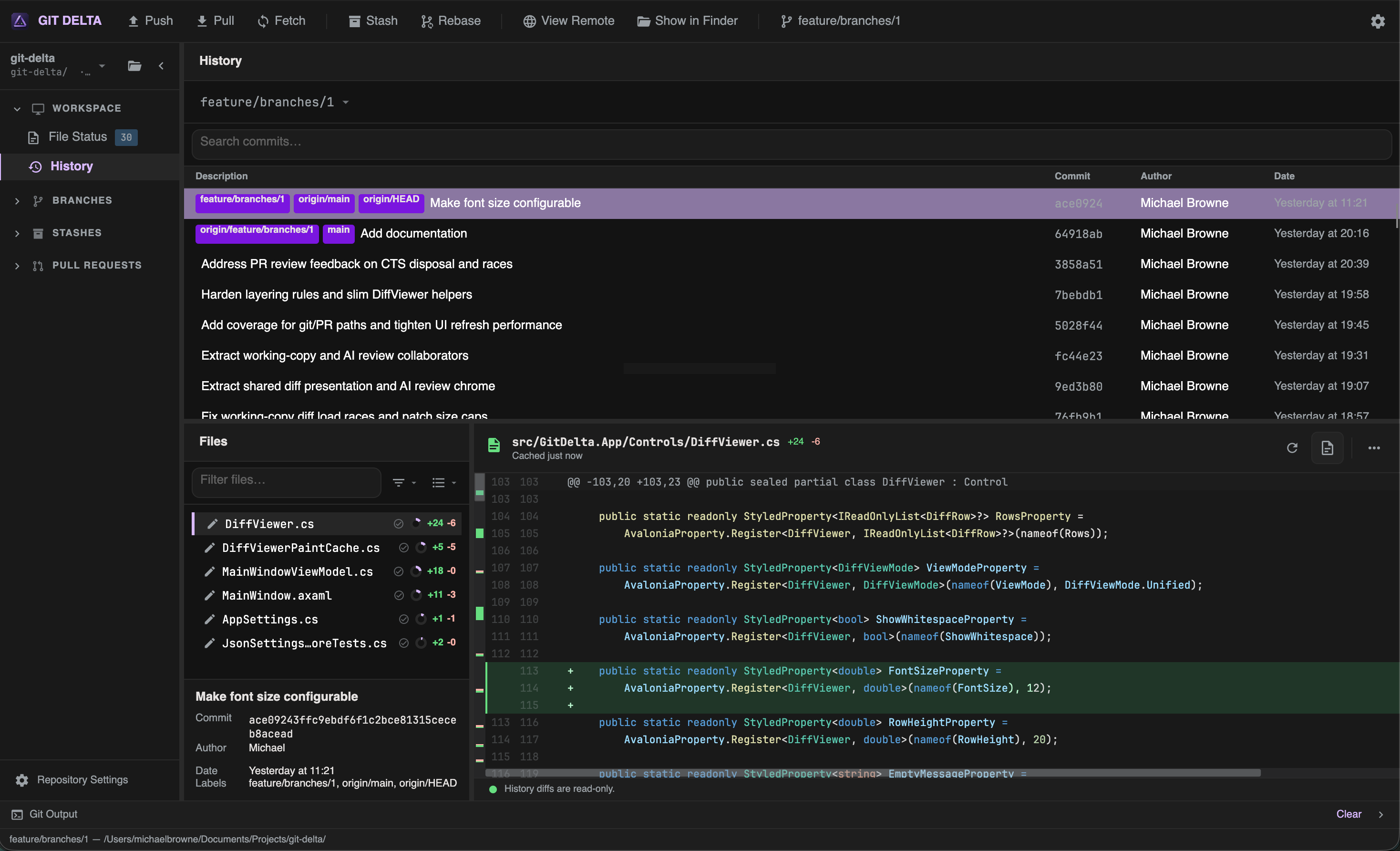
Commit list
Each row typically shows:
- Subject
- Author
- Date
- Decorations (branch tips vs tags — tags use a distinct chip style)
Find commits
| Control | Purpose |
|---|---|
| Branch switcher | Limit history to a branch |
| Filter / search | Narrow the list |
| Load more | Fetch an older page of history |
Context menu
| Action | Effect |
|---|---|
| Checkout | Check out that commit |
| Cherry Pick | Apply the commit onto the current branch |
| Reverse Commit | Create a revert of the commit |
| Copy Hash | Copy the object id |
| Copy Message | Copy the commit message |
Commit details
Selecting a commit shows:
- Subject and body
- Object id, author, date
- Tags and Branches (when present)
- Files changed in that commit (flat or tree, with filter/search)
Select a file to open its diff in the diff viewer (read-only — no staging).
Example: inspect a merge
- Open History
- Search for the merge subject or author
- Select the commit
- Walk the file list and review each diff side-by-side