Committing
The commit dock sits with File Status so you can stage and commit without changing screens.
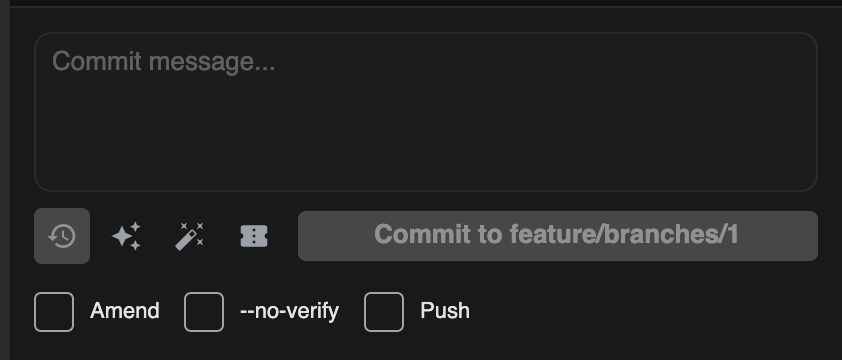
Write a message
- Stage the changes you want included
- Enter a subject (and optional body) in the message box
- Click the commit button (label may vary with options)
Helpers
| Helper | What it does |
|---|---|
| Recent messages | Flyout of recent commit messages — pick one to reuse |
| Ticket from branch | Inserts a ticket id parsed from the branch name (regex in Settings → Git) |
| AI generate commit message | When AI assist is enabled, drafts a message from the staged changes |
Commit options
| Option | Meaning |
|---|---|
| Amend | Amend the previous commit (use carefully on shared branches) |
| --no-verify | Skip Git hooks for this commit |
| Push after commit | Push once the commit succeeds |
Commit and hook failures surface as app notifications.
Magic Commit
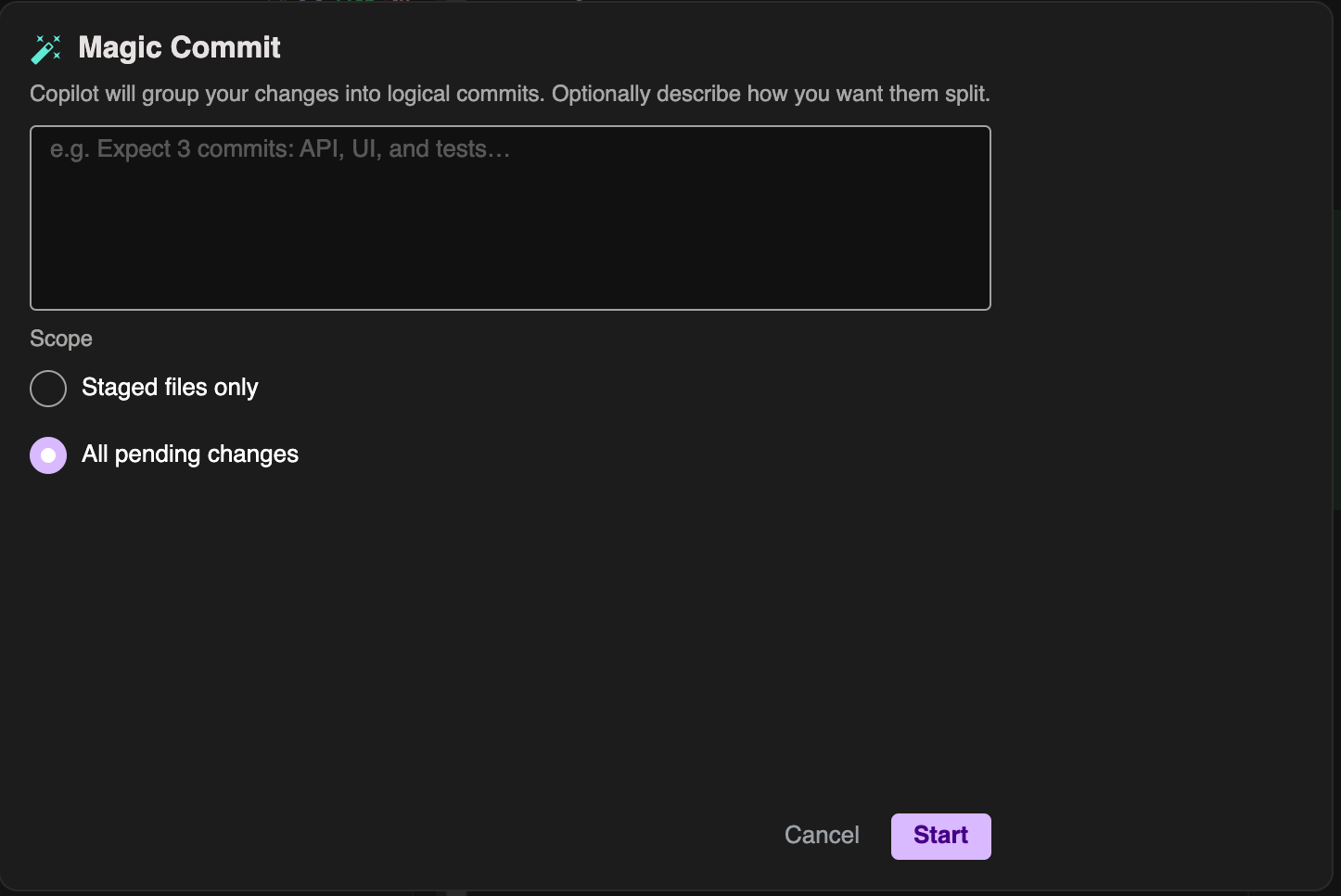
Magic Commit helps split work into logical commits:
- Open Magic Commit from the commit assist controls
- Optionally add instructions
- Choose staged-only vs all pending changes
- Review the proposed split and results
Use it when a large working tree should become several focused commits.
Example: commit and push
- Stage files for one logical change
- Write a clear subject line
- Enable Push after commit if you want the remote updated immediately
- Commit and watch status / Git Output if something fails